
The safest route for most couples is a private gallery with authenticated guest access, whether that's a gallery your photographer hosts or a dedicated wedding-gallery app with sign-in controls. Both protect original image quality and keep casual link-sharing from turning into an open door. If you want to compare your options fast, jump to the shortlist below before picking a platform.
TL;DR:
- Use a private, authenticated gallery with password protection or email invites to ensure the privacy and security of your wedding photos.
- Verify that the platform supports full-resolution downloads, limits on guest uploads, and retains original image metadata for future editing or printing.
- Confirm the gallery's retention policy, the platform's process for photo deletion, and whether facial recognition features are on by default, with options to opt out.
- Test the upload and download process with a few trusted guests beforehand to identify potential compression or access issues.
- For long-term preservation, adopt a backup routine that includes local copies and cloud storage to prevent data loss from platform shutdowns or policy changes.
Table of Contents
- Your Quick Shortlist of Gallery Options
- The Feature Checklist for Comparing Any Wedding Gallery
- Privacy, Security, and Legal Protections Worth Checking
- How to Set Up a Private Gallery and Collect Guest Photos
- When Mainstream Cloud Services Make Sense
- Real Delivery and Backup Practices From BGF Photography
- Which Approach Actually Serves Couples Best
- How BGF Photography Handles Your Private Gallery
- FAQ
- Sources
Your Quick Shortlist of Gallery Options
Most couples fall into one of four setups, and the right one depends on who's taking the photos, how tech-comfortable your guests are, and how much control you want over the files afterward.
- Photographer-managed private gallery: best when you hired a professional and want curated selections, full-resolution downloads, and one person to contact about access or deletion.
- Dedicated wedding-gallery apps: best when you want guests to upload their own phone photos throughout the day, with built-in albums and event timelines.
- Cloud folders and shared albums like Google Photos, OneDrive or SharePoint, and Dropbox: familiar and often free, but they require careful attention to sharing settings.
- Self-hosted website galleries: the most control, but they come with real setup work and ongoing maintenance that most couples don't want mid-planning.
If a professional photographer or videographer shot your day, a photographer-hosted gallery is usually the strongest default. These galleries are built around delivering final, edited images rather than collecting casual snapshots, so you get consistent quality and a single point of contact for access questions, re-downloads, or a deletion request down the line. The tradeoff is that guests typically view and download rather than contribute their own shots.
Dedicated gallery apps flip that around. They're built for guest contribution: someone scans a QR code at the reception, uploads a photo from their phone, and it lands in a shared event album instantly. That's valuable if you want a crowdsourced archive of candid moments your photographer didn't catch, but these apps vary widely in how well they protect originals, and some compress images on upload.
Cloud folder options are the path most people already know. Google Photos, OneDrive, and Dropbox all support shared albums, and your parents or college roommates probably already have accounts. The catch is that default sharing settings on these platforms are built for convenience, not privacy, so you have to actively tighten them.
Self-hosted galleries, built on your own domain or a platform like a password-protected WordPress page, give you full ownership of the experience and the files. Few couples go this route because it demands technical setup, hosting costs, and someone willing to maintain it after the wedding is long over. It's worth mentioning mainly because some photographers and planners do offer it as a premium option.
Pro Tip: If you're combining a photographer's curated gallery with a guest-upload app, tell guests clearly which one is for viewing and which is for contributing, or you'll end up with duplicate confusion on the wedding day.
The Feature Checklist for Comparing Any Wedding Gallery
Before you commit to a platform, run it against a short list of features that actually determine whether your photos stay private and usable long after the wedding.
Guest access controls matter more than almost anything else. Platforms generally offer a few patterns: email-specific invites that require the recipient to be signed in, password-protected links, open "anyone with the link" access, or one-time verification codes sent by text. Email-specific and password-based access are meaningfully more secure because they tie viewing rights to a known person rather than to a link that can be forwarded indefinitely.
Upload experience for guests is the second axis, especially if you're using a gallery that collects photos from attendees. Look at how many taps it takes to upload, whether the app requires a download or works in a browser, what file types it accepts, and whether there's a size or count limit that might cut off video clips.
Original-quality storage is where many platforms quietly disappoint. Some compress images the moment they're uploaded, trading fidelity for faster load times. If you plan to print photos later or want your photographer's full-resolution files preserved, check explicitly whether the platform stores and allows download of the original file, not a web-optimized copy.
Organization and metadata handling affects how useful the gallery is after the big day. Albums, tags, and face-grouping make browsing easier, but some platforms strip EXIF data (the embedded details like camera settings and capture date) on upload, which can matter if you or your photographer want to edit or archive the images later. Our guide on why couples should think twice about raw wedding photo delivery goes deeper on file formats and what's worth preserving.
Storage duration and export options decide whether this gallery is a long-term archive or a temporary viewing window. Some platforms delete content after a set period unless you pay for extended storage, while others keep galleries live indefinitely. Either way, confirm you can export a full-resolution archive rather than relying on the platform forever.
Moderation and privacy features, including facial recognition opt-outs, round out the checklist. Some platforms use face recognition to auto-sort photos by person, which can be convenient but raises questions about what happens to that biometric data and whether you can delete it. Ask directly whether deletion requests actually remove files from backups, not just from the visible gallery.
- Guest access: email-specific invites and passwords beat open links for anything you'd call private.
- Upload limits: confirm file type, size caps, and whether guests need an account.
- Original quality: ask explicitly whether downloads are full resolution or compressed.
- Metadata: check if EXIF data survives upload, which matters for later editing or printing.
- Storage duration: know the default retention window and whether export is included.
- Face recognition: ask if it's on by default and whether you can opt out or request deletion.
Pro Tip: Upload one test photo before the wedding and download it back immediately. If the file size dropped noticeably, the platform is compressing originals.
Privacy, Security, and Legal Protections Worth Checking
Treat your wedding gallery the way you'd treat any folder of sensitive personal photos, because that's exactly what it is.
The single most effective privacy choice is who gets access and how. Authenticated invites, meaning links tied to a specific email address or account, are far harder to misuse than an open "anyone with the link" share, which can be forwarded, posted, or indexed without your knowledge. If a platform only offers open links, treat that as a limitation, not a convenience.

Deletion policy clarity is the second thing to verify. A trustworthy platform states plainly how to request removal of a photo or an entire gallery, and how long that takes. This matters even more given the FTC's guidance on the TAKE IT DOWN Act, which requires covered platforms to remove nonconsensual intimate images and identical copies within 48 hours of a valid request. While most wedding photos aren't intimate images, the law signals the direction platforms are expected to move on fast, enforceable takedowns, and it's reasonable to expect similar responsiveness for any photo you want removed.
Facial recognition defaults deserve a direct question to the platform. The FTC has documented cases where companies retained user images to build facial recognition models even after users deleted their accounts, which is a reminder that a "delete" button doesn't always mean what you'd assume. Ask whether face-tagging is on by default and whether you can opt out or request deletion of any derived data.
48 hours is the maximum window the TAKE IT DOWN Act gives covered platforms to remove a qualifying image after a valid takedown request, a useful benchmark when judging how responsive any gallery platform's support team should be.
For platforms built on Microsoft's ecosystem, CISA's SharePoint and OneDrive security baseline offers a useful checklist even if you're not in an enterprise setting: disable "Anyone" links where possible, limit external sharing to specific people, and set link expirations rather than leaving shares open indefinitely.
Before trusting any platform with your wedding photos, run through this:
- Confirm the platform supports invite-only or password-protected access, not just open links.
- Read the deletion policy and note how to submit a takedown request.
- Ask whether facial recognition is on by default and how to opt out.
- Set an expiration date on any shareable link rather than leaving it permanent.
- Require sign-in for anyone viewing or downloading, even close family.
How to Set Up a Private Gallery and Collect Guest Photos
Once you know which type of gallery fits your wedding, the setup itself is a short, linear process.
- Pick your hosting model using the feature checklist above. If your photographer offers a gallery as part of their package, start there before adding a separate app.
- Configure access settings immediately after creating the gallery. Choose "specific people" or authenticated invites over open links, set an expiration date, and disable any "anyone with the link" option if the platform allows it.
- Invite guests through a channel that matches your crowd. A QR code printed on table cards works well for in-person uploads during the reception, while email invites or an event page suit guests who'll view photos afterward. Event-planning tools like OrdainedPro and similar wedding-tech platforms often integrate QR codes and event pages directly, which can simplify this step.
- Test with a small group before the big day. Send the invite to two or three people and confirm they can access, upload, and download without hitting a paywall or a confusing sign-in screen.
- Collect and preserve the originals. Request full-resolution exports from both guests' uploads and your photographer's delivery, then back up those masters to at least two locations, such as an external drive and a cloud storage account. Our post on backup equipment and redundancy practices covers what a reasonable backup routine looks like in practice.
Pro Tip: Keep a simple naming convention, like a date and location prefix on every folder, so files stay identifiable even after they're pulled out of the original gallery and into your own storage.
Document the file names and any metadata you want preserved before you migrate anything, since some platforms strip EXIF data on export. If preserving that information matters to you, confirm it survives the download before you delete anything from the original source.
When Mainstream Cloud Services Make Sense
Not every wedding needs a dedicated gallery app. Sometimes the cloud storage you already use is the simpler answer, as long as you tighten the defaults.
- Google Photos is easy and familiar, and most guests already have an account. Limit album sharing to specific people rather than a public link, and check the upload quality setting, since Google Photos has historically offered both storage-saving and original-quality options.
- OneDrive and SharePoint carry enterprise-level sharing controls, but their default settings can be surprisingly loose. CISA's guidance specifically recommends disabling "Anyone" links, limiting external sharing to approved domains or named people, and capping link expiration, steps worth applying even for a personal wedding gallery.
- Dropbox handles large video files well and keeps sharing simple, but it lacks the event-oriented features, like QR-code guest uploads or built-in albums, that dedicated wedding apps offer.
The decision often comes down to three factors: cost, how comfortable your guests are with technology, and whether you need live uploads during the event itself. A couple on a tight budget with tech-savvy guests can get by fine with a locked-down Google Photos album. A couple who wants real-time photo collection from a few hundred guests is usually better served by a dedicated app built for that exact job.
Real Delivery and Backup Practices From BGF Photography
A professional photographer's delivery workflow is a good model for what "secure and preserved" actually looks like in practice, because it's built around the assumption that these files matter for decades, not weeks.
At BGF Photography, finished weddings are delivered through a curated private gallery that separates the final edited selections from the full shoot, with options for couples to request original, full-resolution files rather than only web-sized downloads. Because BGF Photography offers hybrid photo and video coverage, couples booking both services get them delivered through a single cohesive gallery rather than two disconnected platforms.
Photographers who keep an internal backup routine, pairing a local copy with a cloud backup, provide the strongest long-term guarantee that original files survive even if a gallery platform changes its policies or shuts down.
The backup principle behind that quote is straightforward: redundancy beats trust in any single provider. A local backup plus an offsite or cloud copy means a couple's wedding files don't depend entirely on one app staying in business or one hard drive staying healthy. For more on how that plays out behind the scenes, see our breakdown of backup equipment and redundancy practices and our explainer on how long photographers typically retain wedding files.
- Couples should ask any photographer directly how long their gallery stays live and what the deletion process looks like.
- Usage rights and retention terms belong in the contract, not a verbal promise, so there's no dispute later.
- A clear policy on guest downloads, meaning whether guests can pull full-resolution files or only view them, should be set before the wedding, not after.
Which Approach Actually Serves Couples Best
The instinct to default to whatever's free and familiar, usually a group text or an open Google Photos link, is understandable but shortsighted. Convenience up front often costs you control later, especially once dozens of people have forwarded a link you can no longer track.
Photographer-hosted galleries earn their place when preservation and curation matter more than live collection, which describes most couples most of the time. Dedicated event apps earn their extra setup when you genuinely want a crowdsourced archive from guests' phones, not just your photographer's lens. Either way, the default configuration that protects you best is the same: authenticated access, a real deletion policy, and full-resolution backups in more than one place.
— Billy
How BGF Photography Handles Your Private Gallery
If you'd rather not manage gallery settings yourself, a hybrid photography and videography package from BGF Photography includes a private gallery delivery as part of the process, built around the same privacy principles covered above.
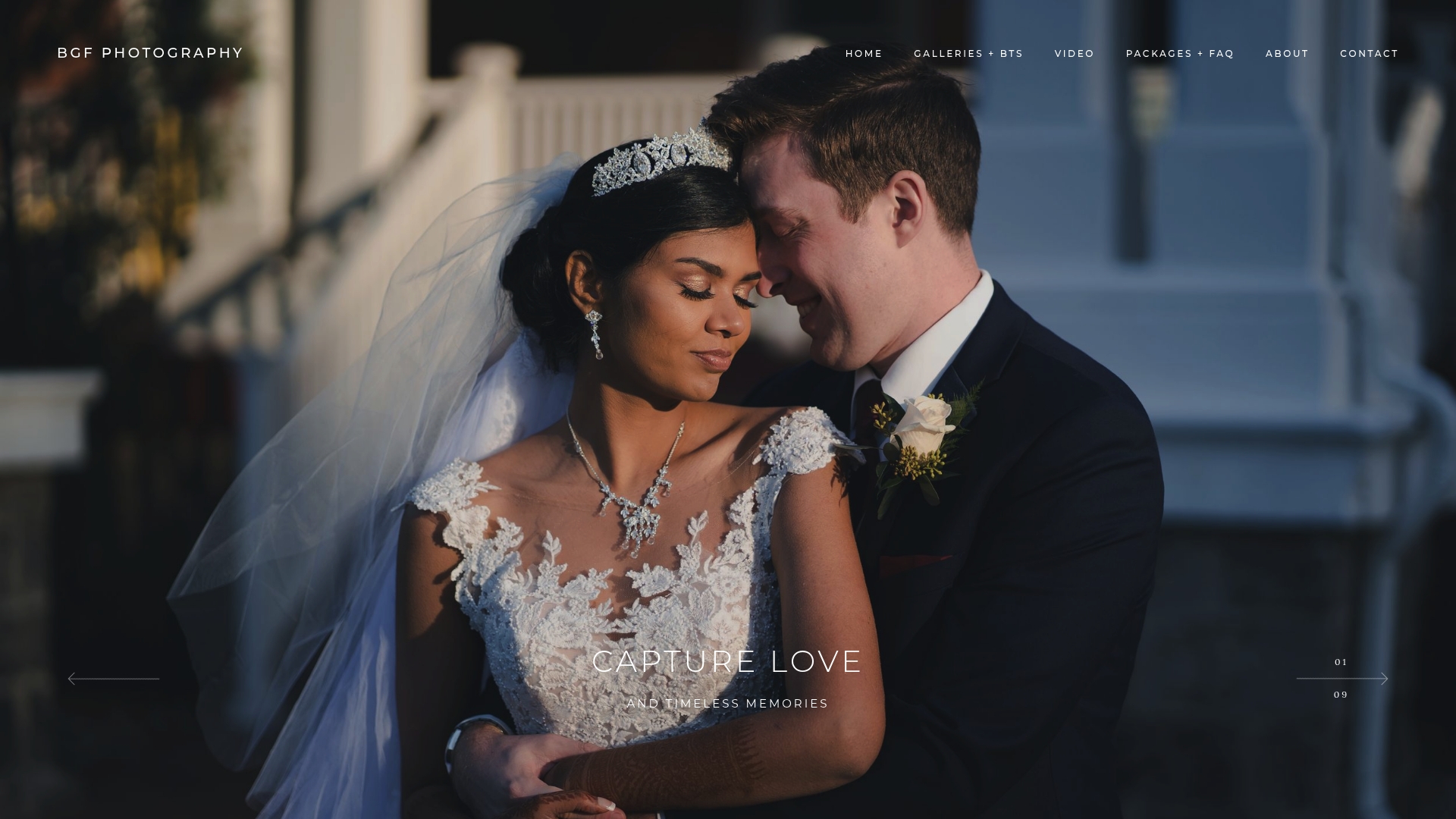
- Full Wedding Day coverage includes gallery delivery with options for couples to request original, full-resolution files.
- Couples booking both photography and videography get their media delivered through a single cohesive gallery rather than separate platforms for each.
- Retention and access terms are clarified in advance to inform clients about how long galleries typically stay live and access control measures.
Full Wedding Day coverage is priced in a range with add-ons like additional video edits, drone coverage, or film photography available separately. Current package details and pricing are available on the client's investment page. You can see current package details and pricing on the investment page, or reach out directly to confirm gallery access and master-file delivery for your date.
FAQ
Is there an online gallery option for wedding photos?
Yes, most professional wedding photographers deliver a private online gallery as part of their package, and several dedicated apps exist specifically for collecting and sharing wedding photos. The right choice depends on whether you need guest-contributed photos or just a secure way to view and download your photographer's finished images.
Is $4,000 a lot to pay for a wedding photographer?
Pricing for professional wedding photography varies widely by region, package length, and whether video is included, so $4,000 can be reasonable or high depending on what's bundled in. A full wedding day package from BGF Photography runs $4,000 to $4,700 and includes both coverage and private gallery delivery, which is a useful benchmark for comparing hybrid photo and video packages.
What should I check before trusting a gallery platform with my photos?
Confirm the platform supports invite-only or password-protected access rather than open links, and read its deletion policy before uploading anything sensitive. It's also worth asking whether facial recognition is on by default, since the FTC has flagged cases where companies retained images for recognition models even after users requested deletion.
How quickly must a platform remove a photo after a takedown request?
Under the TAKE IT DOWN Act, covered platforms must remove nonconsensual intimate images and identical copies within 48 hours of a valid request. That standard is a useful benchmark for judging how responsive any gallery platform should be to a removal request, even for non-intimate photos.
Can I just use Google Photos or Dropbox instead of a dedicated gallery app?
Yes, both work fine for private wedding photo sharing as long as you limit access to specific people rather than using an open link. Dropbox handles large files well, while Google Photos is more familiar to most guests, but neither offers the guest-upload or event-timeline features built into dedicated wedding gallery apps.
Sources
- What will the FTC’s enforcement of the TAKE IT DOWN Act mean for you? | Consumer Advice
- SharePoint and OneDrive SCB